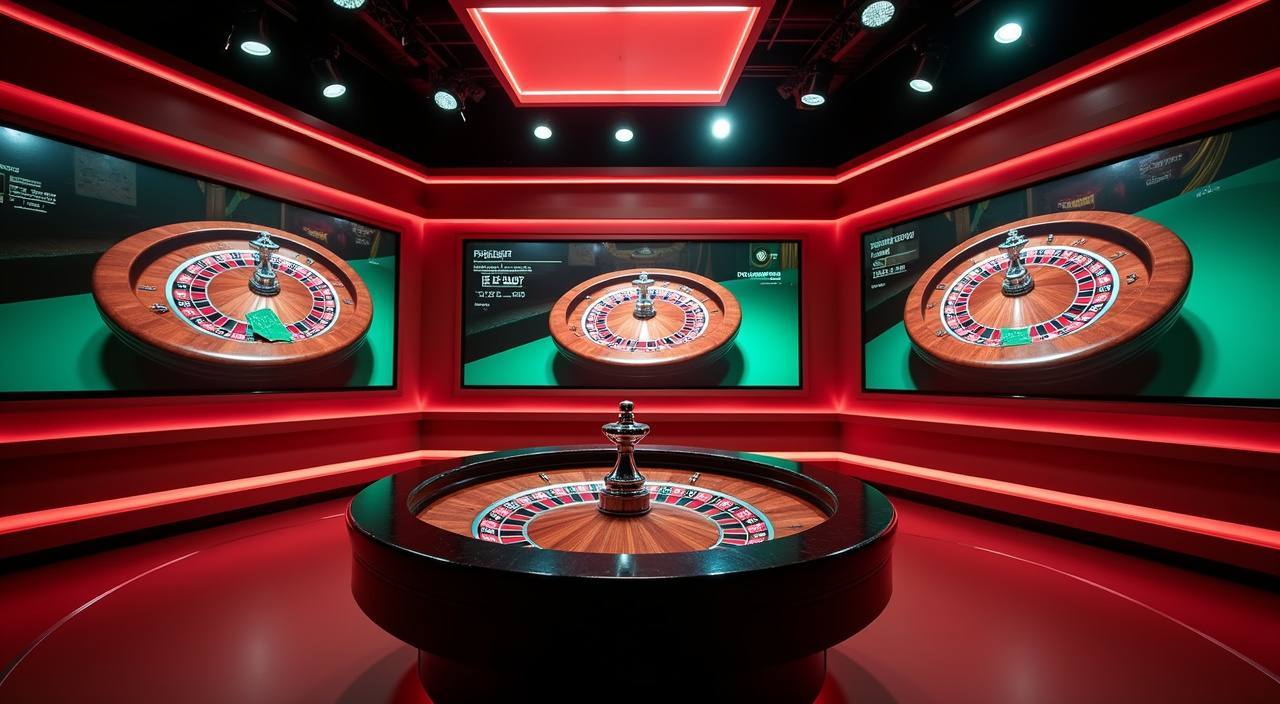


From Crash ShockWave to Live Roulette Wheel
The catalog is split into sections that each answer a different question. If you want fast-paced rounds, Crash ShockWave and the fishing titles load inside the crash and arcade rail.
 Casino / Live
Browse crash games, fishing titles, live dealer tables and cricket betting from a single lobby organized by category — with bKash, Nagad, and Rocket already connected to your account wallet so you can move straight to the game. Access depends on your local law and eligible region.
The catalog is split into sections that each answer a different question. If you want fast-paced rounds, Crash ShockWave and the fishing titles load inside the crash and arcade rail.
Every section of the bat33 catalog is sorted by category so you land exactly where you want to be — slots by studio, live tables by provider, crash games in their own rail, and cricket betting right alongside. The real game cards are loaded straight from the catalog, so what you see reflects what's live right now.
For sports, cricket is the category Bangladesh follows most closely — BPL rounds, international fixtures, and IPL matches are all available inside the sportsbook section. Football Betmaster handles the football markets if cricket isn't the session you want.
BPL, IPL and international cricket markets are listed inside the sportsbook section. The current fixtures and available bet types are shown there as they go live — we do not publish odds or results outside the platform. Your wallet balance covers both sports and casino sections without a separate move.
Live Roulette Wheel and Holdem FastLane are inside the live casino rail, sorted by game type. Each table shows the dealer feed, table limits and game variant so you can pick the right table before you sit down. Studios including Habanero and CQ9 supply the live dealer content you see in this section.
Crash ShockWave leads the crash and arcade category. These titles use a multiplier format rather than a reel layout — the round ends when the multiplier stops, and any amount collected before that point is credited to your wallet. Category mechanics are shown inside the game itself when you open it.
The bat33 lobby carries content from Joker, JDB, Habanero, PlayStar, CQ9. To check the studio, rules or features of one specific game, open that game card or the published information panel.
Any active information, current gameplay states, or account-specific offers are displayed inside your account dashboard after you log in. We do not publish a schedule for when the board changes — the current state is what you see when you open it. This means checking your dashboard is always the right move rather than relying on a date or cycle.
The bat33 catalog is organized so the category rails work on a phone screen the same way they work on a wider display. Swipe along a category row to move through titles without the layout collapsing — the game cards stay the same size and the studio label stays visible.
Category rails on mobile are built for a swipe gesture rather than a click-and-scroll. Each game card in the rail stays proportional so studio names and game titles are readable without zooming. Moving between category rails — slots, live casino, crash, sports — takes a single tap on the section label at the top of the lobby page.
Your bKash, Nagad, or Rocket deposit goes straight into your account wallet, which is visible in the mobile header. The wallet balance reflects the same figure you'd see on desktop. Transaction history is available in the account section — tap your wallet balance to see the record of recent moves.
Live dealer tables including Live Roulette Wheel resize the dealer feed to fit the mobile view without cutting the bet controls off the bottom of the screen. Holdem FastLane keeps the card display and action buttons in thumb reach. Table limits and current round state are visible without scrolling during play.
The bat33 catalog is organized so the category rails work on a phone screen the same way they work on a wider display. Swipe along a category row to move through titles without the layout collapsing — the game cards stay the same size and the studio label stays visible.
Category rails on mobile are built for a swipe gesture rather than a click-and-scroll. Each game card in the rail stays proportional so studio names and game titles are readable without zooming. Moving between category rails — slots, live casino, crash, sports — takes a single tap on the section label at the top of the lobby page.
Your bKash, Nagad, or Rocket deposit goes straight into your account wallet, which is visible in the mobile header. The wallet balance reflects the same figure you'd see on desktop. Transaction history is available in the account section — tap your wallet balance to see the record of recent moves.
Live dealer tables including Live Roulette Wheel resize the dealer feed to fit the mobile view without cutting the bet controls off the bottom of the screen. Holdem FastLane keeps the card display and action buttons in thumb reach. Table limits and current round state are visible without scrolling during play.
Deposits and withdrawals at bat33 go through bKash, Nagad, and Rocket — the three mobile wallets already on most phones in Bangladesh. You link the wallet in your account settings, and from that point your deposit moves from the wallet app to your bat33 balance through the standard wallet transfer flow.
Link your bKash number in account settings and deposits go through the bKash app confirmation step. The transfer limit shown inside bKash applies — check your bKash account for the current figure. Once confirmed, the amount is added straight to your bat33 wallet balance. Withdrawal follows the same route back to your bKash number.
Nagad deposits follow the same flow: add the number in settings, confirm through the Nagad app, and the balance updates in your account. Nagad is a common choice for players who already use it for everyday transfers. Withdrawal requests to Nagad are processed back to the registered number on your account.
Rocket is the Dutch-Bangla Bank mobile wallet and works alongside bKash and Nagad in the bat33 payment section. Link your Rocket number, confirm the transfer in the Rocket app, and the deposit lands in your casino wallet. The transaction record is visible in both your Rocket history and your bat33 account history.
Direct bank transfer is available for players who prefer not to use a mobile wallet. The account details and reference instructions are shown in the deposit section after login. Processing time for bank transfers varies by bank; the transaction status is visible in your account once the transfer is received on our end.
Opening an account at bat33 is a short path. First, go to the account registration page and fill in your details — the fields shown there are the ones required. Second, verify your account through the confirmation step sent to your registered contact. Third, go to the deposit section, choose bKash, Nagad, Rocket, or Bank Transfer, link your payment method, and confirm the first deposit through the wallet app.
Open the account registration page and complete the fields shown. The required details are listed on the form itself. Do not leave required fields blank or use a contact detail you cannot access — the verification step in Step 2 goes to the address or number you register here.
A confirmation is sent to your registered contact after you submit the registration form. Follow the verification instructions shown in that message. Once verified, your account is active and the deposit section becomes available. Verification is required before any transaction can be processed.
Go to the deposit section in your account. Choose your payment method — bKash, Nagad, Rocket, or Bank Transfer. Link the wallet number or bank detail as prompted, then confirm the transfer through your payment app. The Deposit references and steps shown in your account are the ones that apply at the time you deposit.
Once the deposit clears, your wallet balance updates and the full lobby is accessible. Use the category rail at the top to move between slots, live casino, crash games, and sports. Your session stays active across sections — switching from a slot to a live table does not reset your wallet or require a separate login step.
If something in your account is not working as expected, the support section is accessible from the main menu on both mobile and desktop. The contact options shown there reflect what is currently available — we do not publish a channel that is not live.
Questions about your bat33 wallet balance, deposit status, or withdrawal record are handled through the account support channel. When you contact support for a payment issue, include the transaction reference shown in your account history — this is the fastest way to locate the specific transfer and give you an accurate status update.
If a game does not load or a table shows an unexpected state, use the in-session report option where available, or contact support with the game name and the time it occurred. Knowing the exact title — for example, Crash ShockWave or Holdem FastLane — helps the support team check the session log and respond with a specific answer rather than a general one.
Account verification questions — ID confirmation, contact update, region eligibility — are handled through the support contact in your account panel. If your account shows a restricted state, the reason and the required next step are displayed in the account dashboard before you contact support. Follow those instructions first; they often resolve the issue without a wait.
bat33 gives you direct access to your account controls through the dashboard. Spending visibility, session records, and account state are all readable from the same panel you use to check your wallet. We built the dashboard to show you what is happening in your account without having to contact support for routine checks.
Every deposit, withdrawal, and game round is logged in your account history section. The record shows the amount, the payment method used, the time, and the transaction reference. If a figure in your wallet does not match what you expected, the history log is the first place to check — it reflects the actual state of every transaction processed against your account.
Your current session activity is visible in the account panel while you are logged in. Round history for the current session is accessible from the game screen itself in most titles. If you want a record of a specific session after it ends, the account history section holds the full log sorted by date and game category.
Wallet settings — linked payment methods, registered wallet numbers, and account balance — are managed from the account settings panel. If you need to update a bKash, Nagad, or Rocket number linked to your account, the steps for doing so are shown in the payment settings section. Changes to linked wallets may require a re-verification step as shown in your account.
Access to bat33 depends on your local law and the eligible regions configured for your account type. The eligibility confirmation is shown during registration and is also referenced in the account terms section. If your region status changes, your account dashboard will reflect any change to available sections or payment methods.
These are the terms that come up most when you are browsing the bat33 catalog. Each definition describes the mechanic as it works in the games on this site — not a general dictionary entry.

A crash game runs a multiplier that rises from 1x upward after the round starts. You collect before the multiplier stops — anything collected before the crash point is added to your wallet at that multiplier. After the multiplier stops, the round ends and a new one begins. Crash ShockWave on bat33 uses this format. The mechanics and minimum collect point are shown inside the game when you open it.
RTP stands for return to player — it is a percentage published by the game studio indicating the theoretical long-run return across many rounds. bat33 shows RTP figures only where the studio or game exposes them directly. If an RTP is not displayed on the game card or detail screen, it means the studio has not published one for that title; we do not add our own estimate.
A bonus round is a game mechanic triggered by specific symbols or combinations on the reels — it is a standard feature built into certain slot titles, not a separate offer.
A live casino table uses a real dealer filmed in a studio — you see the dealer on screen, place bets in real time, and the result is determined by the actual card draw or wheel spin. Live Roulette Wheel and Holdem FastLane are live dealer titles on bat33.
Fishing games use a targeting mechanic: you aim and fire at moving sea creatures on screen, and the credit return depends on what you hit and the weapon you use. JDB supplies the fishing titles in the bat33 catalog. The credit values for each target and the cost of each weapon shot are shown inside the game before you start spending balance, so you can read the pay table first.
A multi-match prize is a bet type where your return depends on matching across multiple selections rather than a single outcome. Football Betmaster uses this format for some of its bet markets — you select several match outcomes and the prize is calculated on the combined result. The bet slip inside Football Betmaster shows the calculation before you confirm the wager.
Wallet verification is the step where bat33 confirms that a payment method — your bKash, Nagad, or Rocket number — is registered to your account and matches your account identity. This step is required before withdrawals are processed. The verification instructions are shown in your account payment settings when you add a new wallet number. Follow the steps shown there; do not send wallet details through support chat.
Local lobby check
bat33 casino brings live dealer tables, slot rooms and crash games together. Deposit with bKash, Nagad or Rocket. Available for eligible Bangladesh regions
Access MOBILE GUIDEbat33 mobile access lets you browse slots, live tables and crash games from your phone — check availability and account steps for Bangladesh regions
Access PAYMENT GUIDEbat33 banking covers deposits, withdrawals and account verification for Bangladesh. Use bKash, Nagad or Rocket straight from your account wallet
Access PLAYER GUIDEbat33 glossary explains RTP, house edge, KYC, Asian handicap and more — plain terms for slots, live tables and account actions in Bangladesh
AccessThese answers cover the most common account and lobby questions from players in Bangladesh. For questions specific to your account state, log in and check the dashboard first — most routine queries are answered there without needing to contact support.
Read FAQ →Go to the deposit section in your account after logging in. Select bKash as the payment method and enter the amount within the limits shown on that screen. Follow the wallet confirmation step — bKash will prompt you to authorize the transfer through the app or USSD. Once confirmed, the balance is added to your bat33 wallet. The transaction appears in both your bKash history and your bat33 account history.
Yes. Your bat33 account covers the casino lobby, live tables, and the sportsbook section. The wallet balance is shared across all three — you do not need a separate account or a separate deposit for each section. Switch between sections from the main lobby menu. Cricket Scorer and Football Betmaster are inside the sports section; Live Roulette Wheel and Holdem FastLane are inside the live casino section.
Go to the withdrawal section in your account, select Nagad, and enter the amount within the limits shown. Your Nagad number must already be verified in your account payment settings before a withdrawal can be processed. If it is not yet verified, the account settings section shows the steps to add and confirm it. Once the withdrawal is submitted, the status is visible in your account transaction history.
The bat33 lobby is organized into slots, live casino, crash and arcade, fishing games, table games, and sportsbook. Slots and live casino are the largest sections. Crash ShockWave sits in the crash category. Fishing titles from JDB are in their own row. For sports, cricket markets are available alongside football.
The bat33 lobby works through your mobile browser — you do not need a separate download to access the catalog on a phone. Open bat33 in your browser, log in, and the category rails and game cards load in the mobile layout. The wallet, account settings, and support contact are all accessible from the mobile menu.
Log in and go to the account history section, accessible from the main account menu. The history shows every deposit, withdrawal, and game round with the amount, payment method, time, and transaction reference. Filter by date or transaction type if you are looking for a specific record. If a figure in your wallet does not match your history, contact support with the transaction reference number shown in the log.
First, check your internet connection and try refreshing the page. If the issue continues, try a different browser or clear your cache. If a specific title — for example, Holdem AceHigh or Crash ShockWave — continues to show an error, contact support with the game name and the time the issue occurred.
Availability depends on your local law and eligible region. The eligibility status for your account is shown during registration and is referenced in the account terms section. If you are in a region where access is restricted, the registration or login screen will indicate this. We do not make claims about legal status in specific regions — check your local rules and the eligibility confirmation shown in your account.
Access may be available only where local law permits.